Top 10 Best Small Business Phone Systems to Start Today
Picking out the right small business phone system can have a big impact on customer service, saving money on communication, and allowing your staff to be as productive as possible, even when they are not at the office. The modern business phone systems offer a lot more than just regular phone calls. Some of them offer video conferencing, messaging, call routing, voicemail transcription, and much more.
For most small businesses, a VoIP phone system is the way to go because it is much more affordable and easier to set up than traditional phone systems and doesn’t require any expensive equipment. In this guide, we will look at the top options and their advantages and disadvantages, and help you make the right choice.
More: Check Business Ideas with Ai
Quick Summary Table
| Phone System | Best For | Starting Price* | Key Features | Ease of Use |
| RingCentral | Growing businesses | $20/month | VoIP, video meetings, AI features, CRM integration | Excellent |
| Nextiva | Customer support teams | $25/month | Call routing, CRM tools, analytics | Excellent |
| Zoom Phone | Existing Zoom users | $15/month | Voice, meetings, messaging | Very Easy |
| Ooma Office | Small local businesses | $20/month | Virtual receptionist, mobile app | Easy |
| Grasshopper | Solopreneurs | $18/month | Business number, call forwarding | Very Easy |
| GoTo Connect | Remote teams | $27/month | Calls, messaging, video meetings | Easy |
| Dialpad | AI-powered businesses | $15/month | AI call summaries, transcription | Excellent |
| Vonage Business | Flexible businesses | $20/month | APIs, integrations, mobile support | Easy |
| 8×8 | International businesses | Custom Quote | Global calling, analytics | Moderate |
| Google Voice | Small teams using Google Workspace | $10/month | Simple calling and voicemail | Very Easy |
Prices are approximate and may vary based on plan, billing cycle, and promotions.
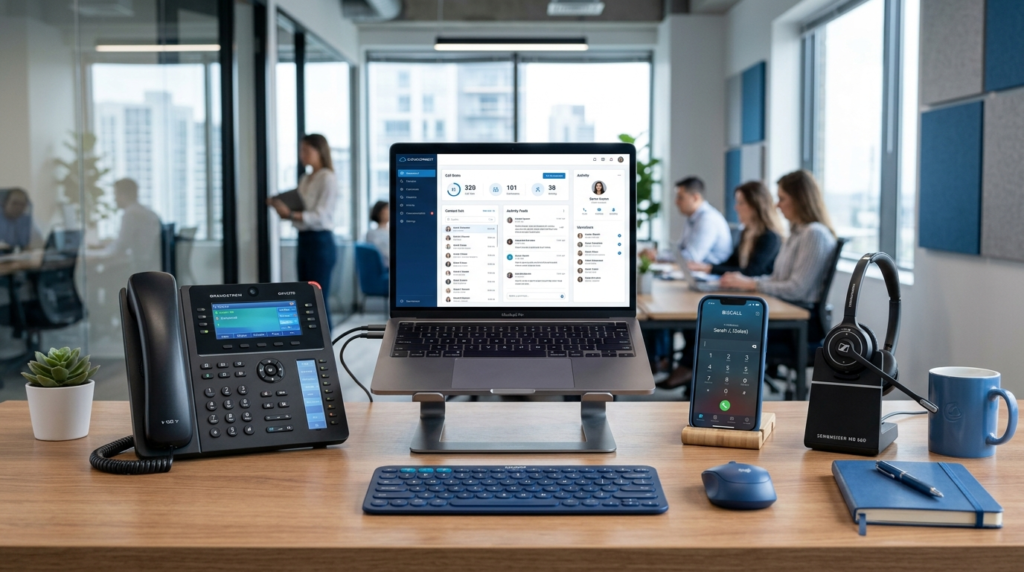
Comparison Table
| Feature | RingCentral | Nextiva | Zoom Phone | Ooma Office | Grasshopper |
| Cloud VoIP | Yes | Yes | Yes | Yes | Yes |
| Mobile App | Yes | Yes | Yes | Yes | Yes |
| Video Meetings | Yes | Yes | Yes | Limited | No |
| Call Recording | Yes | Yes | Yes | Yes | No |
| Auto Attendant | Yes | Yes | Yes | Yes | Limited |
| CRM Integration | Excellent | Excellent | Good | Basic | Limited |
| Best For | Growing teams | Customer service | Zoom users | Small offices | Freelancers |
How to Choose a Small Business Phone System
Before comparing providers, think about how your business communicates every day.
More: Ai Business Adviser
Consider these factors:
- Monthly budget
- Number of employees
- Remote or office-based staff
- International calling needs
- CRM integration
- Video meeting requirements
- Mobile app quality
- Customer support availability
- Ease of setup
- Future business growth
A small company of three employees will typically have different software requirements than a firm of fifty. Paying for features you don’t need can make your software more expensive than necessary.
More: 25 Best Online Business Ideas for Students Without Investment
Advanced Feature Comparison
| Provider | CRM Integrations | International Calling | Video Meetings | AI Features | Best Team Size |
| RingCentral | Excellent | Good | Excellent | Good | 5–500+ |
| Nextiva | Excellent | Good | Good | Moderate | 5–250 |
| Zoom Phone | Good | Moderate | Excellent | Basic | 5–200 |
| Ooma Office | Basic | Moderate | Limited | No | 1–50 |
| Grasshopper | Limited | Limited | No | No | 1–10 |
| GoTo Connect | Good | Good | Excellent | Moderate | 5–250 |
| Dialpad | Excellent | Good | Good | Excellent | 5–500 |
| Vonage | Excellent | Excellent | Good | Moderate | 5–500 |
| 8×8 | Good | Excellent | Good | Moderate | 10–1000 |
| Google Voice | Basic | Limited | No | No | 1–20 |
Top 10 Small Business Phone Systems
1. RingCentral
RingCentral provides a complete cloud-based communication solution for small businesses, combining business calling, video meetings, team messaging, and collaboration tools in one platform. The service is a one-stop shop solution.
Best For
Ideal for businesses looking for a complete communication solution that combines calling, messaging, and collaboration in one place.
Main Features
- Cloud VoIP calling
- HD voice quality
- Video conferencing
- Team messaging
- Call forwarding
- Auto attendant
- Call recording
- Voicemail transcription
- CRM integrations
- Mobile and desktop apps
Pros
- Easy to scale
- Excellent reliability
- Strong security
- Large integration library
- Suitable for hybrid teams
Cons
- Higher pricing than basic providers
- Advanced features require premium plans
Estimated Cost
Medium
Setup Time
30–60 minutes for most small businesses.
2. Nextiva
Nextiva is a business communication platform that unifies calling, messaging, contact management, and analytics in one convenient dashboard.
Best For
Businesses with customer support or sales teams.
Main Features
- Business VoIP
- Intelligent call routing
- Auto attendants
- CRM tools
- Call analytics
- Team chat
- Video meetings
- Mobile applications
Pros
- Reliable uptime
- Strong customer support
- Easy administration
- Good reporting tools
Cons
- Some advanced features cost extra
- Learning curve for beginners
Estimated Cost
Medium
Setup Time
About one hour.
3. Zoom Phone
If your business uses Zoom Meetings, Zoom Phone is a great add-on. Employees can use one application and easily transition between making calls, chats, and video conferencing.
Best For
Businesses are already using Zoom.
Main Features
- Cloud phone service
- Video meetings
- Team messaging
- Call queues
- Shared voicemail
- Call recording
- Mobile and desktop support
Pros
- Familiar interface
- Easy deployment
- Good call quality
- Works well with remote teams
Cons
- Some advanced phone features require higher plans
- Best value comes with the Zoom ecosystem
Estimated Cost: Medium
Setup Time: 20–40 minutes.
4. Ooma Office
Ooma Office is ideal for small business owners who want advanced phone line features, but without the complexity of traditional business phone systems.
More: 50 Best Business Ideas for Women at Home
Best For
Retail stores, restaurants, clinics, and local businesses.
Main Features
- Virtual receptionist
- Business phone numbers
- Mobile app
- Call forwarding
- Ring groups
- Conference calling
- Voicemail
Pros
- Affordable
- Beginner-friendly
- Reliable call quality
- Fast installation
Cons
- Fewer advanced integrations
- Limited enterprise features
Estimated Cost: Low
Setup Time: Less than 30 minutes.
5. Grasshopper
Grasshopper is perfect for freelancers, consultants, and small organizations that need cloud-based but professional PBX numbers without installing the entire office equipment.
More: 50 Best Work From Home Business Ideas to Make Money
Best For:
Solo business owners and startups.
Main Features
- Business phone number
- Call forwarding
- Custom greetings
- Voicemail
- Mobile app
- Extensions
6. GoTo Connect
GoTo Connect is an excellent choice that unifies traditional calling, texting, and video conferencing in one platform, suitable for remote and hybrid workstyles.
Best For
Remote teams and businesses with multiple locations.
Main Features
- Cloud VoIP calling
- Video conferencing
- Team messaging
- Auto attendants
- Call routing
- Mobile and desktop apps
- Call analytics
7. Dialpad
Dialpad provides the best AI-powered tools for calls, meetings, and messaging, including real-time and automatic transcription and summary options.
Main Features
- Cloud VoIP
- AI call transcription
- AI summaries
- Video meetings
- SMS messaging
- Mobile apps
- CRM integrations
Pros
- Excellent AI features
- Modern interface
- Easy to use
- Good mobile experience
Cons
- AI features are limited on lower plans
- Premium plans cost more
8. Vonage Business
Vonage offers flexible cloud communication for businesses that need reliable calling and custom integrations.
Best For
Businesses that need API integrations and flexibility.
Main Features
- Business VoIP
- Call forwarding
- Video meetings
- Team messaging
- CRM integrations
- Mobile applications
- Call recording
Pros
- Flexible platform
- Large integration library
- Good international support
9. 8×8
8×8 is a good option for businesses with international customers or offices in different countries.
Best For
Companies with global communication needs.
Main Features
- Unlimited calling
- International calling plans
- Video meetings
- Team chat
- Analytics
- Call recording
- Mobile apps
Pros
- Strong international coverage
- Good security
- Reliable uptime
10. Google Voice
Google Voice is a simple cloud phone service that works well for freelancers and small teams using Google Workspace.
Main Features
- Business phone number
- Call forwarding
- Voicemail
- Spam filtering
- Mobile app
- Desktop access
Pros
- Affordable
- Very easy to use
- Works well with Google services
- Quick setup
Cons
- Limited advanced business features
- Not ideal for large customer support teams
More: Top 10 Profitable Small Business Ideas You Can Start Today
Phone Systems by Category
| Category | Best Choice | Runner-Up |
| Best Overall | RingCentral | Nextiva |
| Best Value | Ooma Office | Google Voice |
| Best for Startups | Grasshopper | Google Voice |
| Best for Remote Teams | GoTo Connect | Zoom Phone |
| Best for Customer Support | Nextiva | Dialpad |
| Best AI Features | Dialpad | RingCentral |
| Best International Calling | 8×8 | Vonage |
| Best Google Workspace Users | Google Voice | Zoom Phone |
| Best Local Business | Ooma Office | RingCentral |
| Best for Growing Companies | RingCentral | Nextiva |
Budget-Based Recommendations
| Monthly Budget | Recommended Phone Systems |
| Under $20 per user | Google Voice, Grasshopper |
| $20–30 per user | Ooma Office, Zoom Phone |
| $30–40 per user | RingCentral, Nextiva |
| $40+ per user | Dialpad, 8×8, Vonage |
Business Ideas Based on Your Situation
| Your Situation | Best Phone System |
| Freelancer | Grasshopper |
| Startup | Google Voice |
| Small Retail Shop | Ooma Office |
| Restaurant | Ooma Office |
| Medical Clinic | Nextiva |
| Law Firm | RingCentral |
| Online Store | RingCentral |
| Sales Team | Dialpad |
| Remote Company | GoTo Connect |
| International Business | 8×8 |
Feature Comparison
| Feature | Best Provider |
| Easiest Setup | Google Voice |
| Best Mobile App | RingCentral |
| Best AI Tools | Dialpad |
| Best Customer Support | Nextiva |
| Best Security | RingCentral |
| Best Video Meetings | Zoom Phone |
| Best Value | Ooma Office |
| Best Scalability | RingCentral |
Common Mistakes When Choosing a Small Business Phone System
Avoid these mistakes before buying a business phone service.
- Choosing the cheapest plan without checking features.
- Ignoring future business growth.
- Paying for features your team will never use.
- Forgetting to test mobile apps.
- Not checking customer support hours.
- Overlooking call quality and uptime.
- Ignoring integration with your CRM or help desk.
- Choosing a provider without reliable security.
Pro Tips
- Start with a monthly plan before committing to an annual subscription.
- Test call quality using the free trial.
- Train employees on advanced features.
- Use auto attendants to reduce missed calls.
- Set up voicemail transcription to save time
- Review monthly call reports to enhance customers’ experience
- Ensure internet redundancy to prevent VoIP downtime
- Renewal cost comparison before contract signing
Conclusion
The best small business phone system is determined by the needs of the firm. RingCentral can provide an integrated communication solution, whereas Nextiva prioritizes customer relations. Zoom Phone is the best option for those who want to use the Zoom, Google Voice, and Grasshopper platforms, as these are specifically tailored towards startups and individual workers, whereas 8×8 and Vonage offer international options. The decision between the discussed services should be made by comparing their different benefits, costs, and potential for expansion.
FAQs
What is the best small business phone system?
RingCentral is the best phone system that offers calling and messaging, video conferencing, and other business applications. It is essential to consider both the budget and team size, as well as the additional features.
Is VoIP better than a traditional phone system?
Yes, VoIP is a more suitable option for the majority of small businesses since it is more cost-effective, provides greater scalability, and offers more flexibility to work from home instead of using traditional phone systems with expensive equipment.
Can I keep my existing business phone number?
Yes. Number portability is generally available, so you can continue using your existing business phone number.
Do I need special phones for VoIP?
No. Most cloud phone systems can be accessed via smartphone, laptop, or desktop PC. Compatible IP Phones are also available.
What are the best phone systems for a business?
Google Voice and Grasshopper are the best phone systems for a business because they are easy to maintain and install. Besides, they are affordable for small organizations.
How much is a small business phone system?
Providers usually offer bundled plans for approximately $15 and $ 40 per user per month, with options varying in terms of features and support.
Are cloud phone systems secure?
The major vendors offer encryption, security certifications, and account security features. You can add another degree of security by using multi-factor authentication and secure passwords.